The problem
Businesses need to analyse sales, track KPIs, and prepare forecasts, but this often requires several separate tools and may involve sending business data to external services.
Detailed project walkthrough
Analytics, forecasting & AI assistant that combines data validation, KPI analysis, machine-learning forecasts, cloud-stored files & model artifacts, LLM-assisted queries, and interaction monitoring (observability).
The problem
Businesses need to analyse sales, track KPIs, and prepare forecasts, but this often requires several separate tools and may involve sending business data to external services.
What the application does
BI Agent combines retail analysis, charts, KPI forecasts, and natural-language questions in one application. Machine-learning models generate the forecasts, while the AI assistant helps users ask questions about the data.
Why it may be useful
It makes sales results and forecasts easier to explore and keeps the data process, model files, and AI-assisted interactions more organised and easier to review.
System design
The project connects data preparation, forecasting models, cloud files, an application interface, and AI-assisted questions while keeping the main parts separated and reviewable.
System thinking
Architecture
Application walkthrough
The application combines AI-assisted questions, controlled forecasting, and technical model information in one interface.
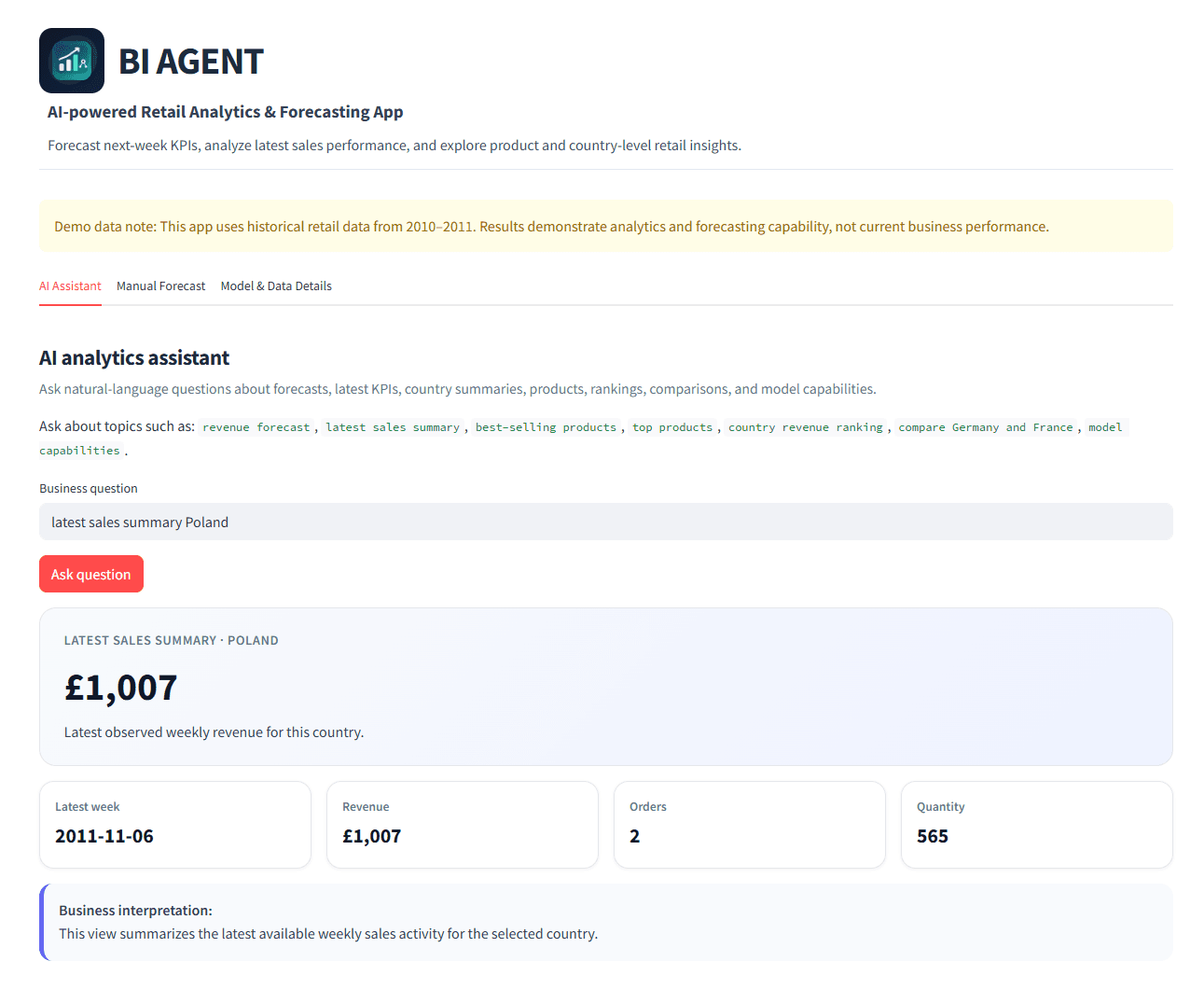
The AI Assistant tab lets the user ask questions in everyday language about recent sales, products, countries, rankings, forecasts, and model capabilities.
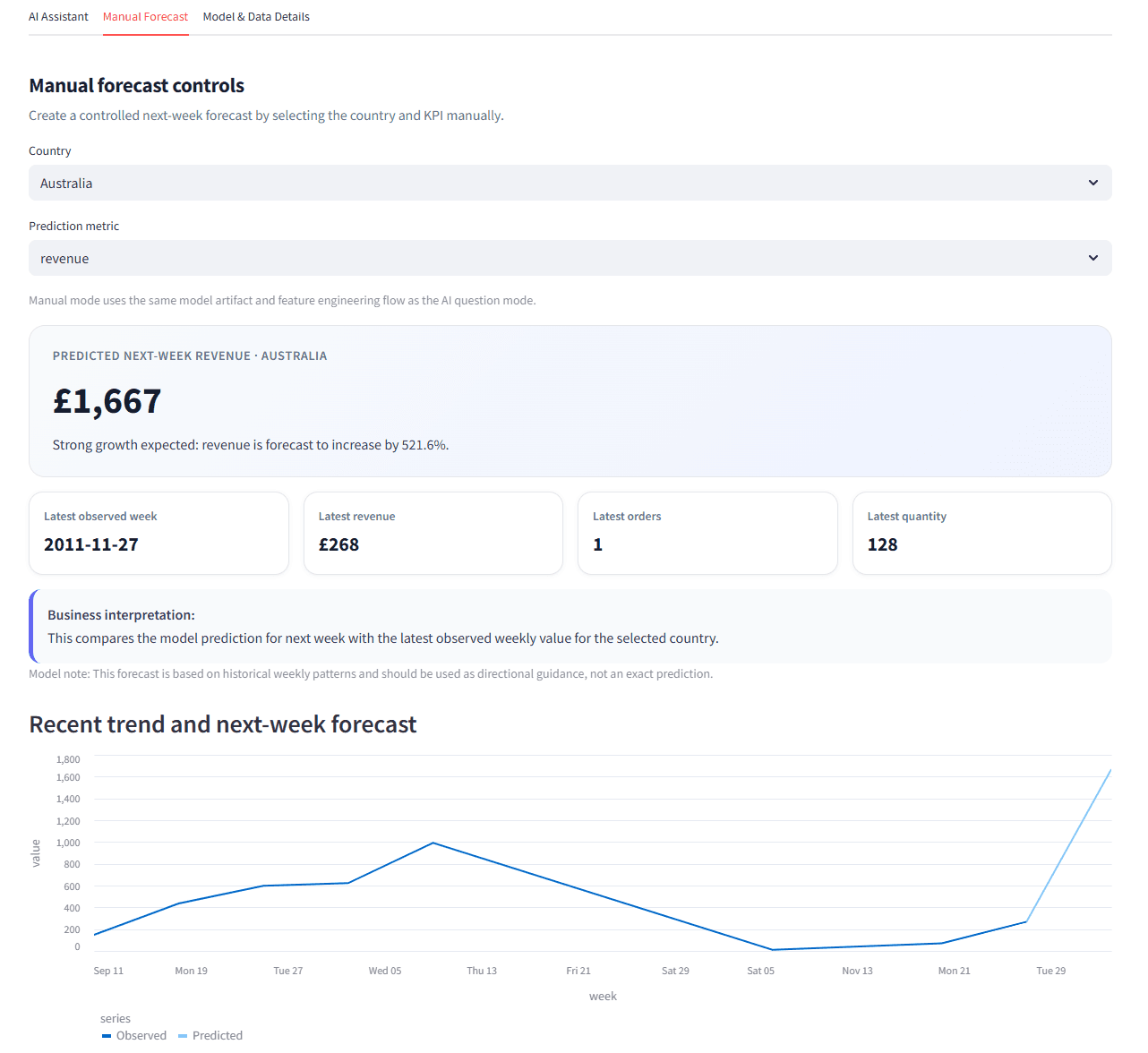
The Manual Forecast tab lets the user select a country and KPI, compare the latest observed value with the next-week prediction, and review the recent trend.
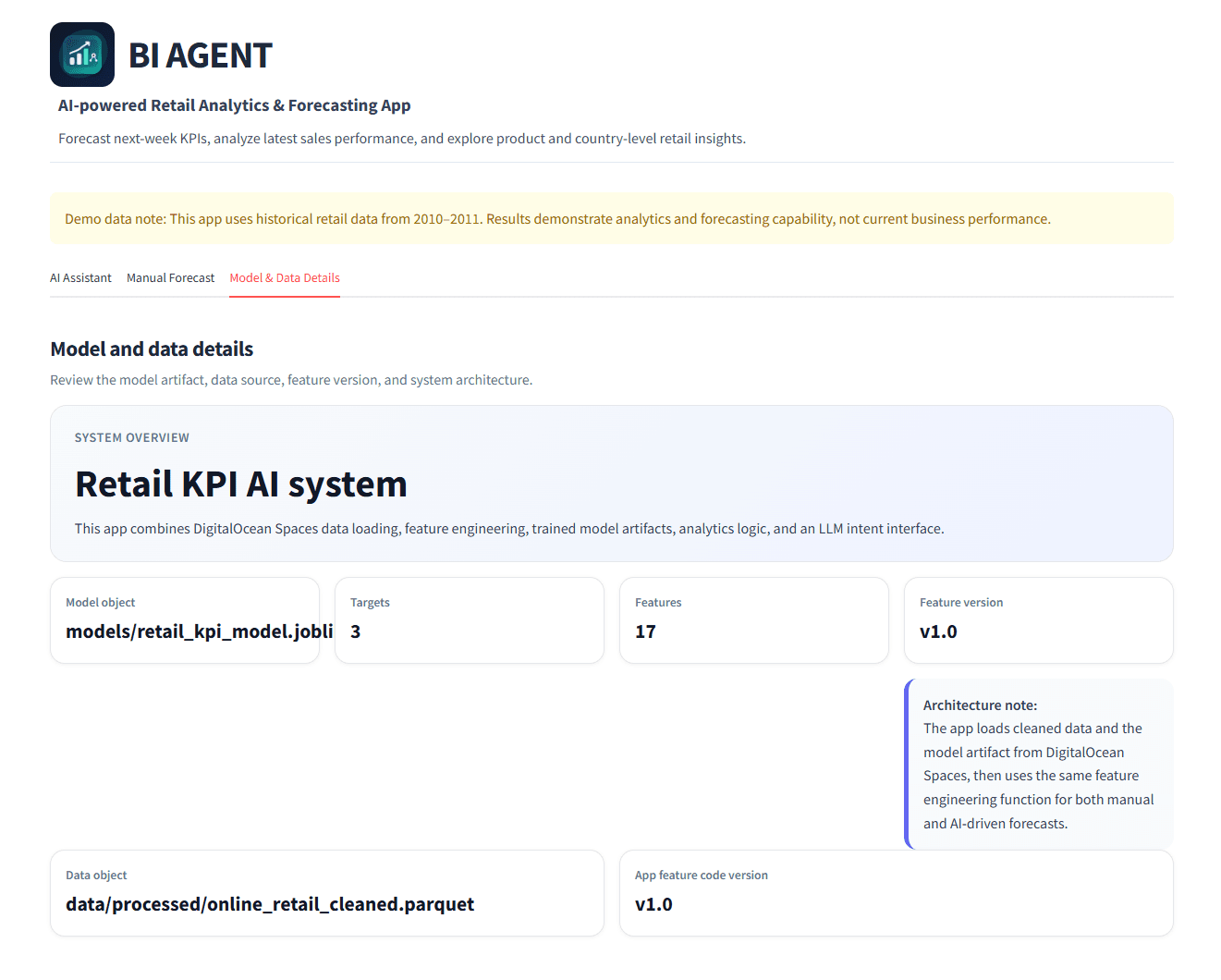
The Model & Data Details tab explains how the application loads data, validates it, creates features, stores model files, and serves forecasts.
Analytics workflow
The workflow moves from stored retail data to validated analysis, forecasts, and AI-assisted questions.
Retail transaction data is loaded from cloud storage to Streamlit app. Keeping the data outside the application code makes the project easier to organise and update.
The validation stage checks that the expected columns and data types are present before the analysis and forecasting process continues.
The application cleans and restructures the transaction data, then creates the weekly measures and features needed for reporting and forecasting.
Machine-learning models create forecasts for selected business measures. The trained models are stored as separate files and loaded by the application.
The Streamlit interface presents sales analysis, charts, KPI results, and forecasts in one place.
The AI assistant helps users ask questions about the available business data without needing to write code or database queries.
Langfuse records AI-assisted interactions so prompts, responses, and application behaviour can be reviewed during development.
Application outputs
The application supports both standard analytics views and AI-assisted interaction.
Users can review sales performance, KPIs, charts, and changes over time.
Saved machine-learning models generate forecasts for selected business measures.
Users can ask questions in natural language, while interactions are recorded for review during development.
My contribution
Technology used
Current limitation
BI Agent is a portfolio prototype built with demonstration retail data. Its forecasts and AI-assisted answers have not been tested as part of a real company’s reporting or decision-making process.
* Free hosted demo — it may take a moment to wake if inactive.