BGS|Raw Data to Reliable Systems

Data AI Automation Deployment

Barbara Górska Sennerstam

Business-Focused Data & AI Systems Builder

Building practical systems that combine data analysis, automation, AI-assisted workflows, and deployment foundations to solve real business and operational problems.

Business thinking → system design → reliable delivery

Areas I work with

Practical systems built around business needs

My projects explore how data, AI-assisted applications, and workflow automation can be combined into structured, reviewable systems. I focus on the wider process—including business requirements, data inputs, validation, failure paths, storage, monitoring, documentation, and delivery.

Systems-oriented integration

Production-aware system design, reliability-conscious workflows, and systems that consider what happens beyond the successful path.

01

Data and decision systems

Data analysis · Dashboards · KPIs · Reporting

I organise business and operational data into clear reporting structures, reusable SQL layers, KPIs, and dashboards. This includes preparing data, defining consistent measures, and presenting information in a form that supports analysis and decision-making.
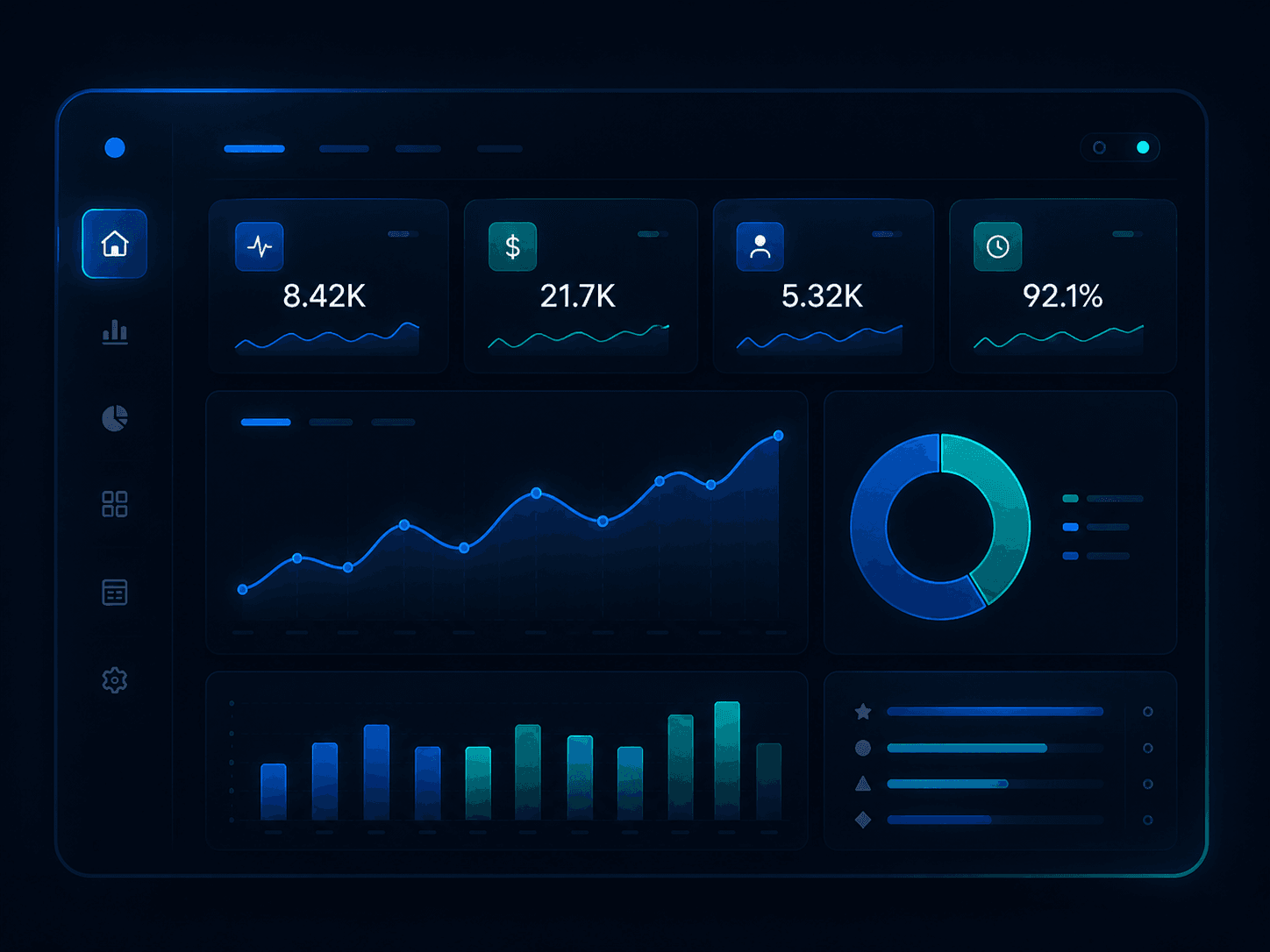
Generic dashboard illustration representing data analysis, KPI reporting, and business dashboards.

Business outcome

A business gains a clearer view of its activity and performance, with more consistent metrics, less repeated manual preparation, and reporting that is easier to understand and reuse.

Examples from my work

  • Power BI reporting project
  • Metabase business dashboards
  • SQL reporting views

Tools used

  • Power BI
  • SQL
  • PostgreSQL
  • Metabase
02

AI-assisted applications

Data processing · Prediction · AI interaction · Validation

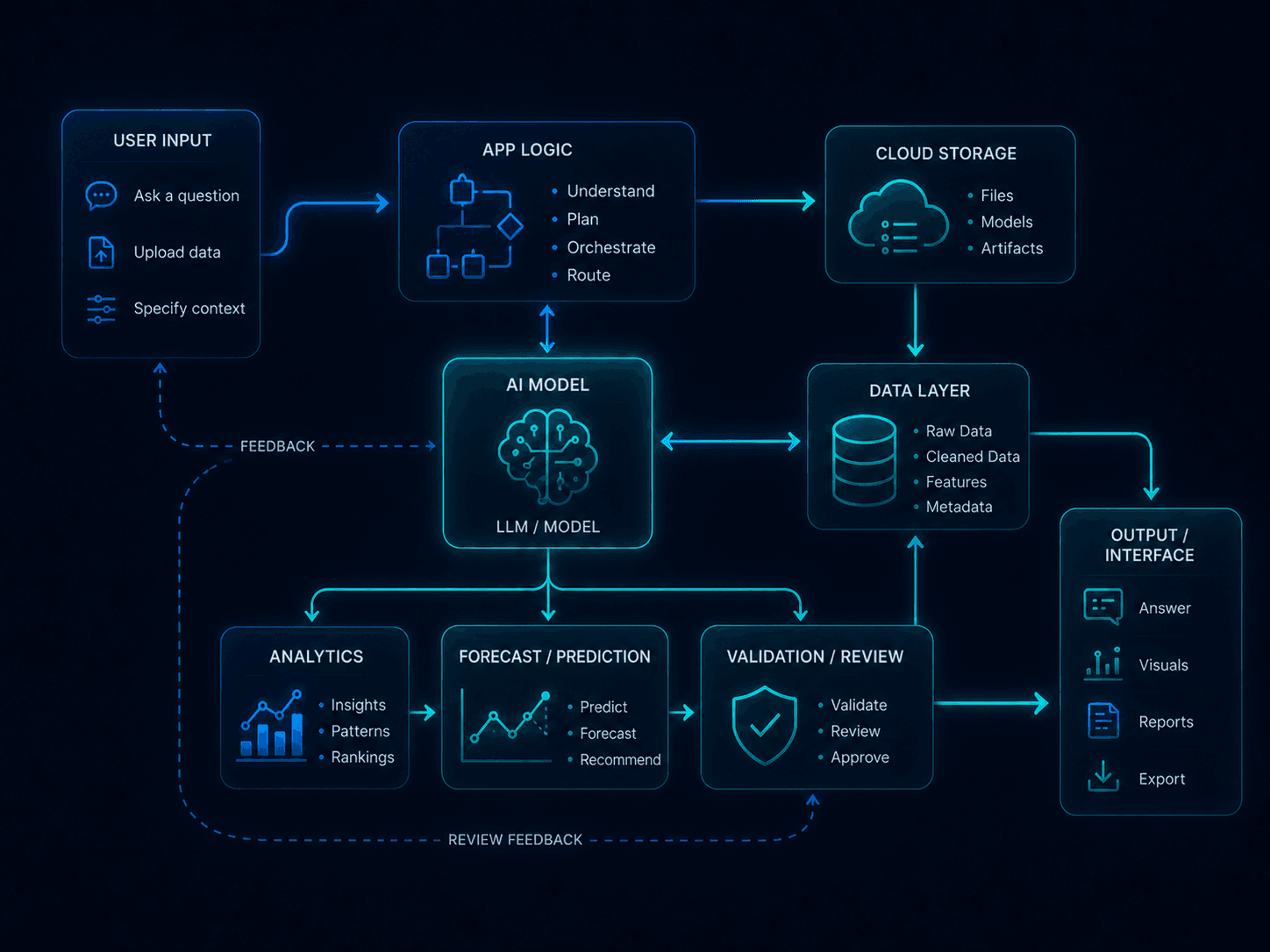
I build reviewable application prototypes that turn data into useful outputs through analysis, prediction models, or AI-assisted interaction, while keeping validation and user review part of the workflow.

Generic application system illustration showing user input, app logic, AI model, data layer, cloud storage, validation, and output interface.

Business outcome

This can give employees a simpler way to access analysis, forecasts, or AI-assisted answers without working directly with code or complex data tools, while preserving validation and transparency.

Examples from my work

  • BI Agent
  • DataShield

Tools used

  • Python
  • Streamlit
  • Machine learning
  • OpenAI API
  • Langfuse
03

Automation and operational workflows

Forms, files & APIs · Validation · Business rules · Data storage · Failure handling

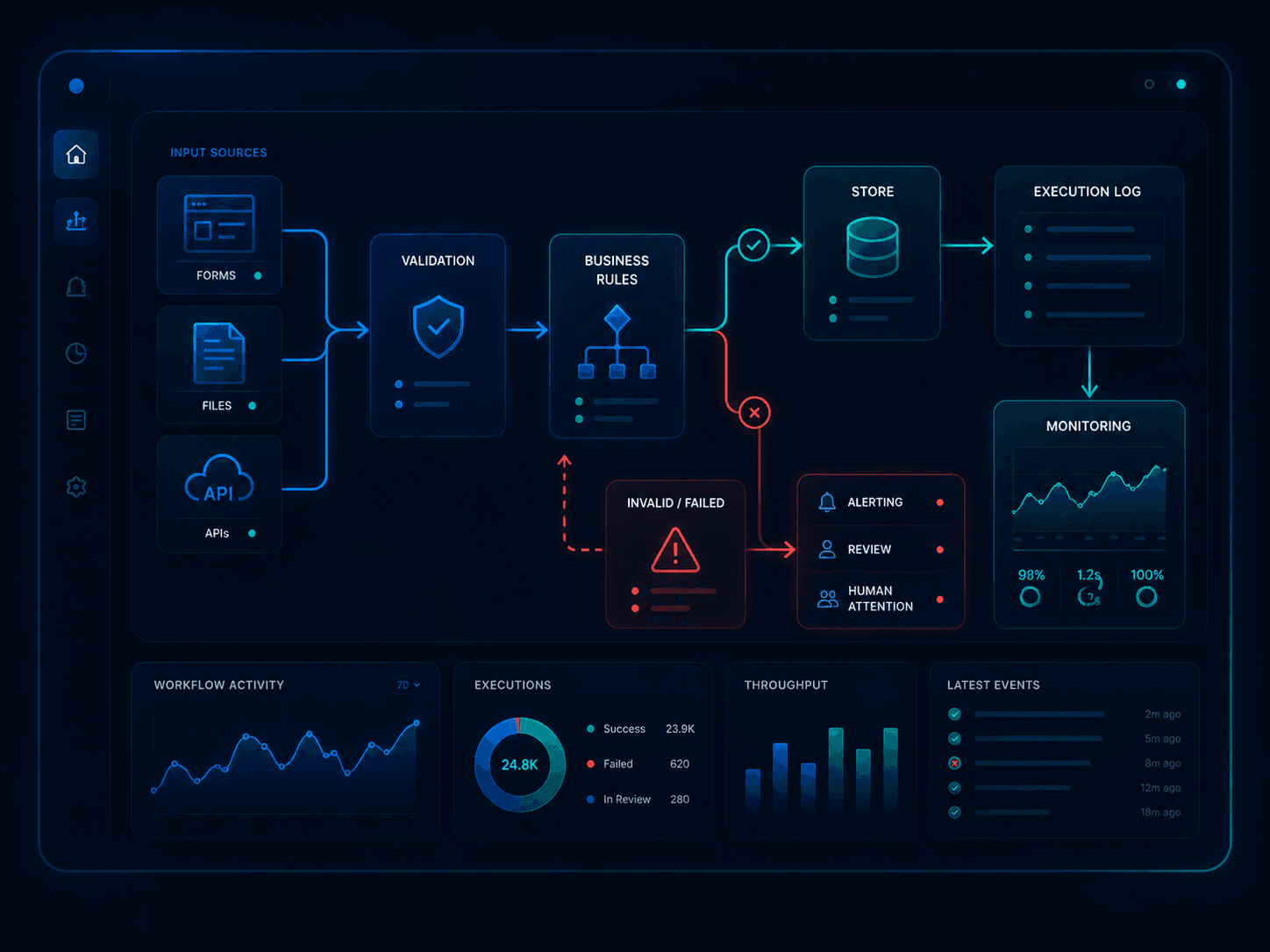
I design and build workflow automation prototypes that receive information from forms, files, APIs, or other systems, validate it, apply business rules, store the results, and record what happened during each execution. I also design for invalid requests, duplicate data, failed steps, execution logging, and human review—not only the successful path.

Generic workflow automation illustration showing forms, files, APIs, validation, business rules, storage, logging, monitoring, and failure handling.

Business outcome

A business can reduce repetitive manual handling, keep operational information in one structured place, and see whether a process completed successfully, failed, or requires human attention.

Examples from my work

  • Business Ops Intelligence Hub
  • n8n operational workflows
  • Accountant workflow — in development

Tools used

  • n8n
  • PostgreSQL
  • Docker Compose
  • Metabase
  • APIs

Selected work

Projects based on practical business problems

Three portfolio projects showing how data, automation, and AI can support reporting, privacy, forecasting, and everyday business processes.

Business process automation system

Business Ops Intelligence Hub

The problem

Small businesses often rely on manual steps to collect operational data, check whether it is correct, update records, and prepare reports. This takes time, increases the risk of errors, and makes failed processes harder to notice.

What the system does

This system prototype automates the flow of business data from the moment it is received. It checks incoming requests, stores valid records, logs successful and failed workflow runs, and prepares the data for operational dashboards.

Why it may be useful

It reduces manual work, keeps operational data in one place, and gives the business owner a clearer view of what was processed, what failed, and what needs attention.

Example automation workflow

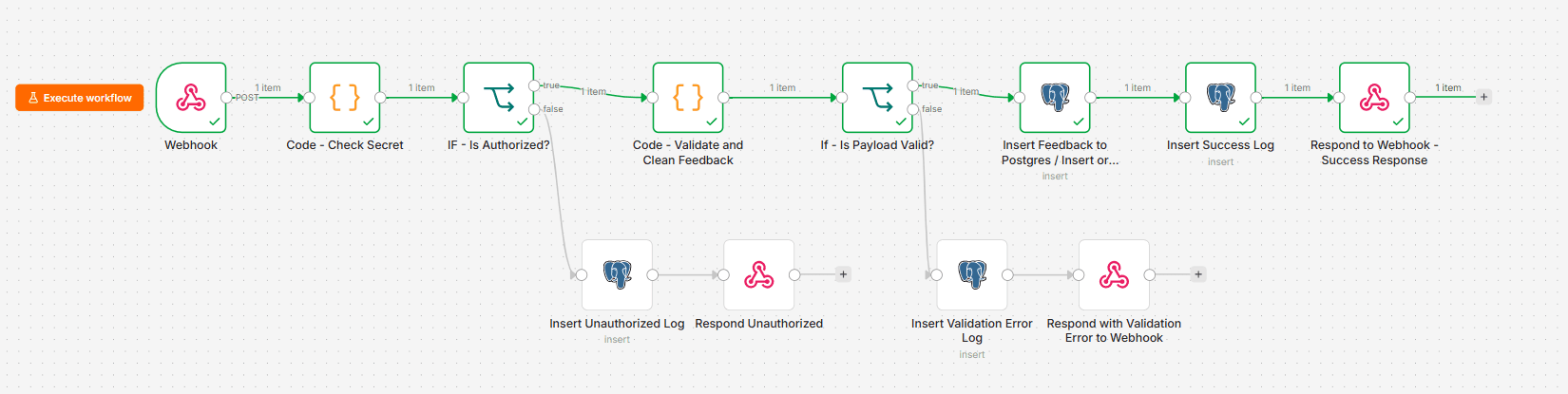
The workflow receives business data, checks it, stores valid records, logs the result, and returns a structured response.

Successful n8n workflow showing business data intake, validation, database storage, logging, and response steps

Business input → validation → database → execution logs → dashboards

How the process works

  1. 1

    Business input

    Operational data enters the workflow through a webhook, for example from a form, application, or another connected service.

  2. 2

    Validation

    The workflow checks whether the request is authorised and whether the required information is present and correctly formatted.

  3. 3

    Database storage

    Valid business records are stored in PostgreSQL so they can be reused for reporting and future workflows.

  4. 4

    Execution logging

    Successful requests, validation errors, and unauthorised attempts are recorded so each workflow result can be reviewed.

  5. 5

    Dashboards

    SQL views prepare business data and workflow logs for Metabase dashboards showing operational activity and workflow health.

DataShield project icon

Deployed data privacy app prototype

DataShield

The problem

Datasets can contain names, email addresses, identification numbers, and other sensitive information. Before the data is shared or analysed, this information needs to be protected.

What the application does

DataShield runs as a local-first application. It checks the uploaded dataset, identifies sensitive information, and suggests ways to anonymise it. The user can review the suggestions before the changes are applied.

Why it is useful

The application helps prepare data that is safer to share or analyse. It also creates a report showing what information was detected, what changes were made, and whether privacy risks may still remain.

Technology used

  • Python
  • Streamlit
  • Pandas
  • Privacy checks
  • Automated tests

* Free hosted demo — it may take a moment to wake if inactive.

BI Agent project icon

Deployed analytics app prototype

BI Agent

The problem

Businesses need to analyse sales, track KPIs, and prepare forecasts, but this often requires several separate tools and may involve sending business data to external services.

What the application does

BI Agent combines retail analysis, KPI forecasts, charts, and natural-language questions in one application. Machine-learning models generate the forecasts, while the AI assistant helps users ask questions about the data.

Why it is useful

The application makes sales results and forecasts easier to explore and keeps the analysis process, model files, and AI interactions easier to review.

Technology used

  • Python
  • Streamlit
  • Machine learning
  • DigitalOcean Spaces
  • OpenAI API
  • Langfuse

* Free hosted demo — it may take a moment to wake if inactive.

Foundations and current development

Skills supporting the systems I build

These areas support the projects above and show how my work is developing—from business reporting foundations, through AI-assisted automation, to more reliable engineering and delivery practices.

01Completed foundation

Data and Reporting Foundation

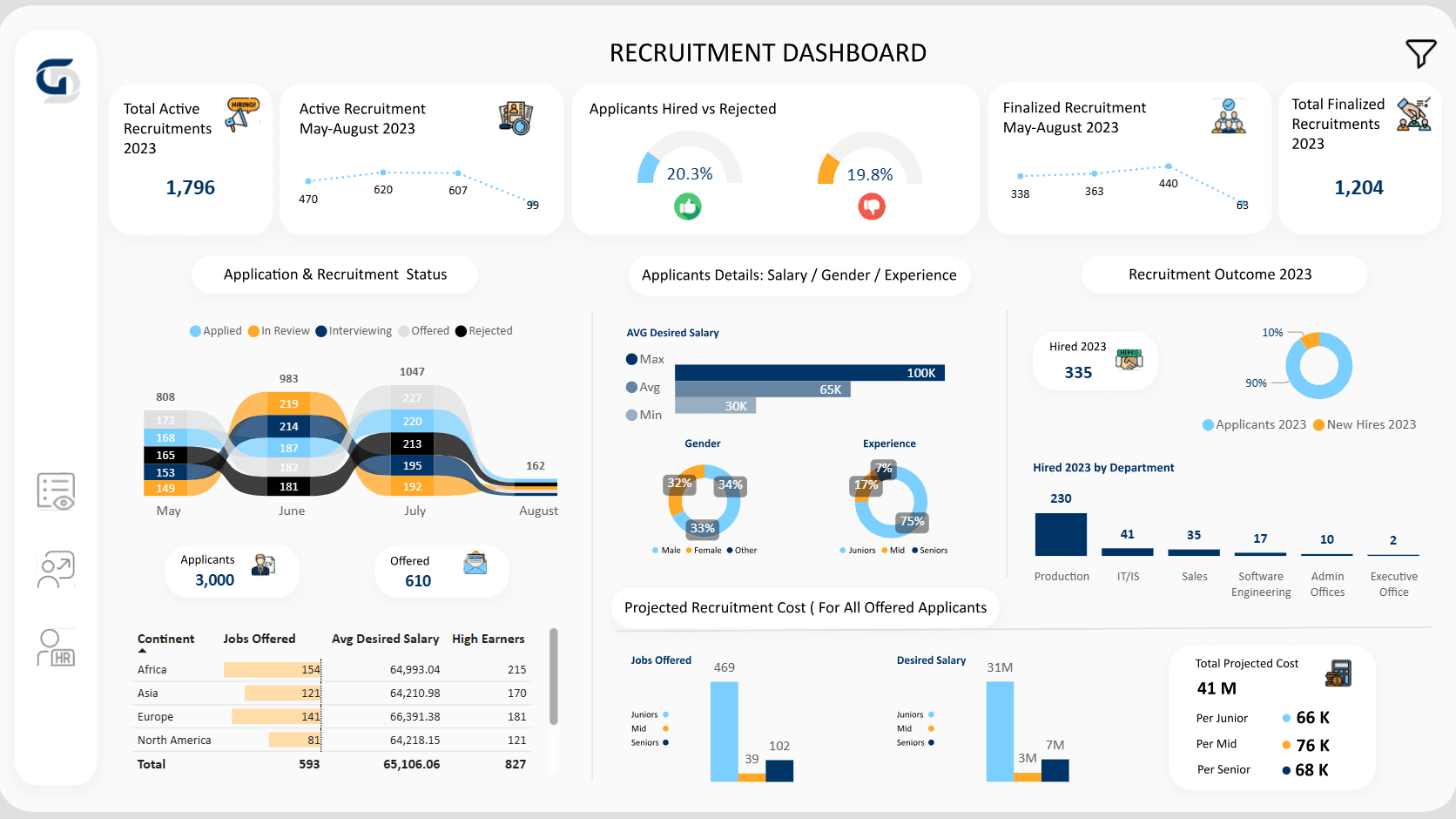
I developed practical foundations in data analysis, SQL, KPI reporting, and dashboard design through Power BI training and a completed reporting project. This work established how business questions can be translated into structured measures and visual reporting.

  • SQL for analysis
  • KPI definition and reporting
  • Dashboard design
  • Filtering and segmentation

Business relevance

This foundation supports clearer reporting, consistent metrics, and better communication of operational performance.

Power BI recruitment dashboard showing completed reporting work
Representative dashboard from the completed Power BI reporting project.
02Local prototype · development in progress

AI-assisted Workflow Automation

Currently, I am building a local accountant automation prototype in n8n. The project explores how document intake, AI-assisted extraction, classification, validation, PostgreSQL storage, analytics, and human review can work together as a structured system.

Accountant automation — conceptual workflow

A provisional system view showing the intended responsibilities. It is not a screenshot of a completed workflow.

Architecture in development
  1. 01

    Document intake

    Files received

  2. 02

    Duplicate check

    SHA-256

  3. 03

    Extraction

    AI-assisted

  4. 04

    Validation

    Fields and totals

  5. 05

    Classification

    Document type

  6. 06

    PostgreSQL

    Structured storage

  7. 07

    Analytics

    Reports and questions

  8. 08

    Human review

    Exceptions

Intended flow: document intake → duplicate handling → extraction → validation → classification → storage → analytics → human review.

Already implemented

Foundations currently built and tested locally.

  • Invoice and document intake
  • File metadata capture
  • SHA-256 duplicate detection
  • PostgreSQL status storage
  • Sample-document testing
  • Technical documentation

Planned next

Capabilities that remain under active development.

  • AI-assisted data extraction
  • Validation and classification
  • Accounting analytics
  • Business-question interface
  • Company knowledge support
  • Human review paths

Current scope

The accountant workflow is not yet a completed automation or a production business implementation. Current development focuses on reliable document intake, traceability, duplicate handling, status management, and documentation before more advanced AI-assisted processing is added.

03Applied and developing

Engineering and Delivery Foundations

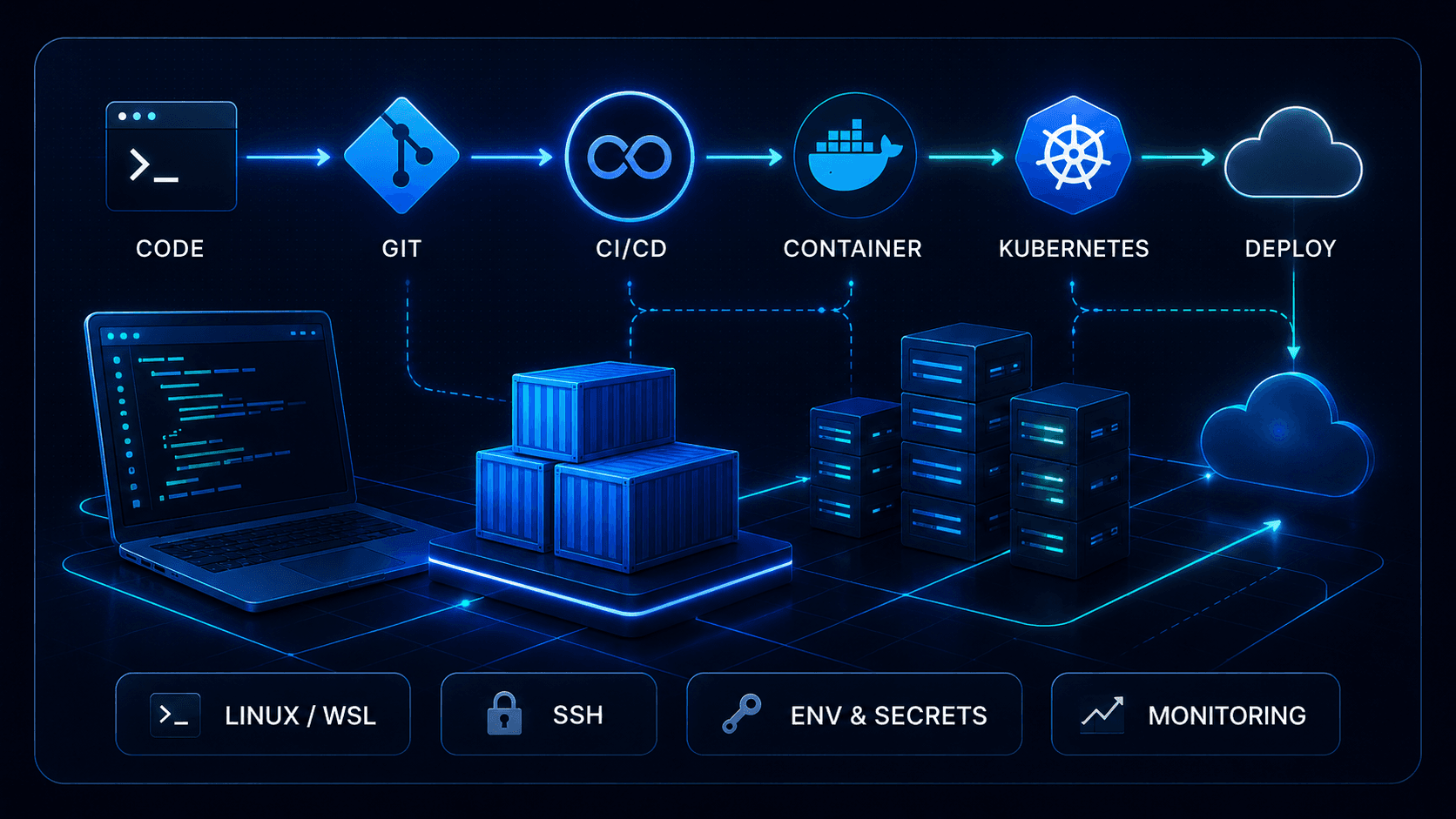
I am developing the engineering skills needed to make data and AI applications more reproducible, maintainable, and deployment-aware. Some practices are already applied in portfolio projects, while Kubernetes, networking, deeper CI/CD, and GitOps remain active areas of development.

Already applied

Used in current portfolio and learning projects.

  • Linux, WSL, and terminal workflows
  • Git workflows and repository structure
  • Docker Compose environments
  • Environment and secrets configuration
  • Testing, logging, and documentation
  • Application deployment practice

Currently developing

Areas being developed through structured practice.

  • Kubernetes
  • Deeper CI/CD
  • Networking and services
  • GitOps
  • Production cloud infrastructure
  • Homelab operations
Conceptual engineering workflow connecting code, version control, containers, deployment, and infrastructure
Engineering practices supporting more reproducible and maintainable data and AI systems.

About me

Connecting Business Needs with Data, AI, and Automation

My background in economics and business-oriented problem solving shapes how I approach data, AI-assisted applications, and automated workflows. I focus on understanding the purpose of a system, how its parts connect, and what evidence is needed to evaluate whether it works as intended.

I aim to create solutions that are grounded in real business needs and technically well structured. My goal is to understand the full path from a business need to a working system that can be tested, deployed, monitored, and maintained.

Business context first

Understanding the problem, users, decisions, and operational constraints before choosing tools or designing the solution.

Systems-oriented thinking

Considering how data enters a system, how it is validated and processed, where it is stored, what happens when something fails, and how the system is monitored and maintained.

Structured development

Using documentation, testing, and step-by-step iteration, with AI tools supporting the work rather than replacing the need to understand, review, and debug the system.

AI-assisted working approach

I use AI tools to accelerate research, implementation, testing, and documentation, while maintaining responsibility for understanding the architecture, reviewing outputs, debugging problems, and verifying system behaviour.

Current direction

Building data systems, AI-assisted applications, and automated workflows for business decisions and operational work

Contact

Let's connect

I'm open to feedback, project conversations, and opportunities related to data-driven solutions, AI-assisted applications, and automated workflows.