The problem
Small businesses often rely on manual steps to collect operational data, check whether it is correct, update records, and prepare reports. This takes time, increases the risk of errors, and makes failed processes harder to notice.
Detailed project walkthrough
A local business process automation prototype that receives operational data, validates it, stores valid records, logs workflow results, and prepares the information for business and workflow-monitoring dashboards.
The problem
Small businesses often rely on manual steps to collect operational data, check whether it is correct, update records, and prepare reports. This takes time, increases the risk of errors, and makes failed processes harder to notice.
What the system does
The prototype automates the flow of business data from the moment it is received. It checks incoming requests, stores valid records, logs successful and failed workflow runs, and prepares data for operational dashboards.
Why it may be useful
It reduces manual work, keeps operational data in one place, and gives a business owner a clearer view of what was processed, what failed, and what needs attention.
System design
The prototype connects business data intake, validation, storage, logging, reporting, and workflow monitoring in one local environment.
System thinking
Architecture
System overview
The prototype connects automation, database storage, logging, and reporting in one local environment.
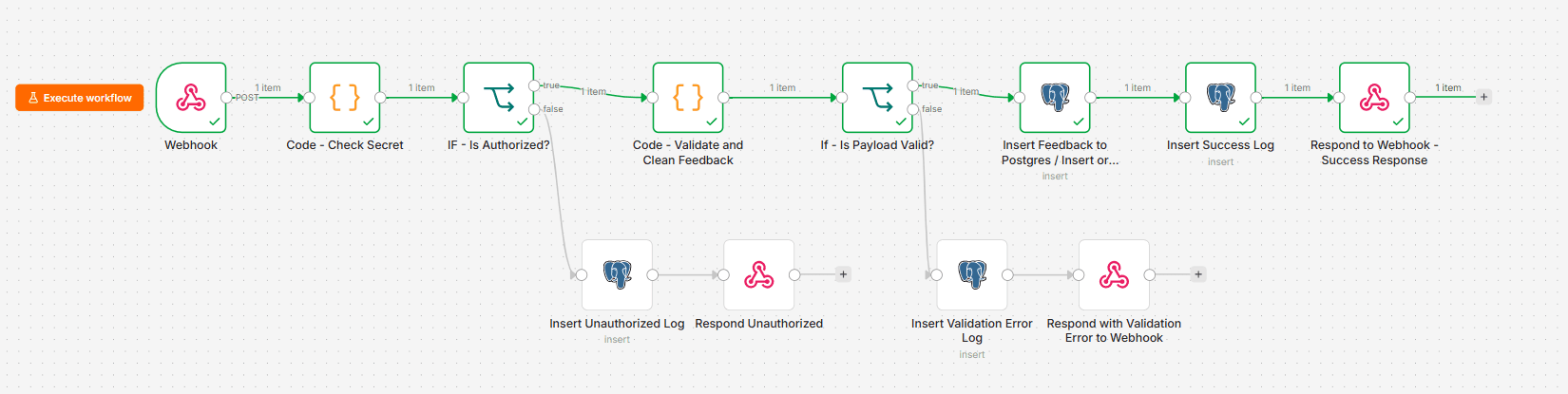
Operational data is sent to an n8n webhook. In a real setup, this could come from a form, application, spreadsheet integration, or another connected service.
The workflow checks whether the request is authorised and whether the required information is present and correctly formatted.
Valid business records are saved in PostgreSQL so they can be reused by reports, dashboards, and future workflows.
Successful requests, invalid data, and unauthorised attempts are recorded. This makes it easier to understand what happened during each workflow run.
SQL views prepare operational data and workflow logs for Metabase dashboards showing business activity and workflow health.
Workflow outcomes
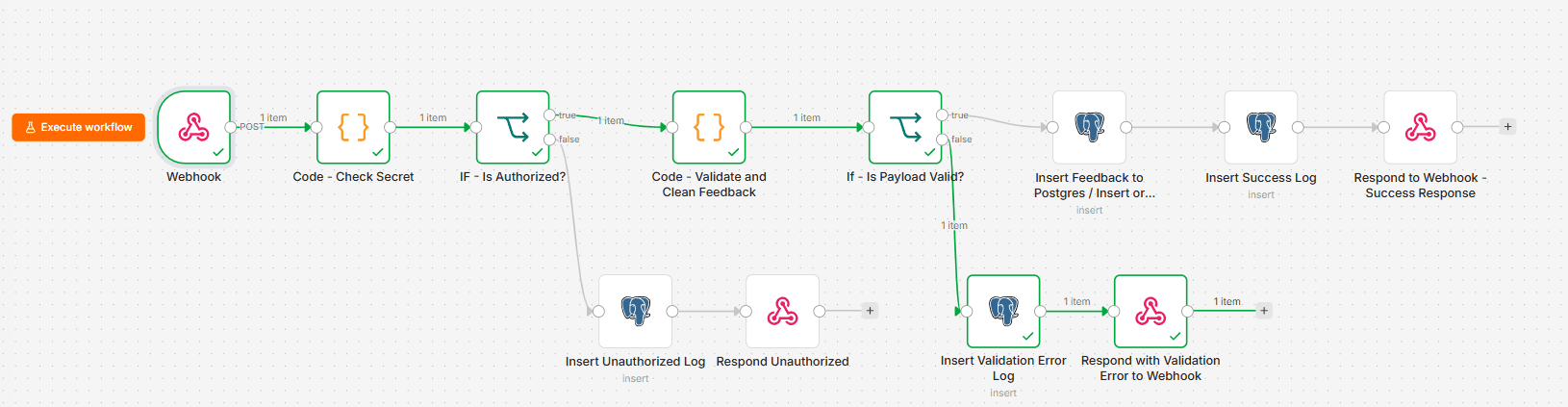
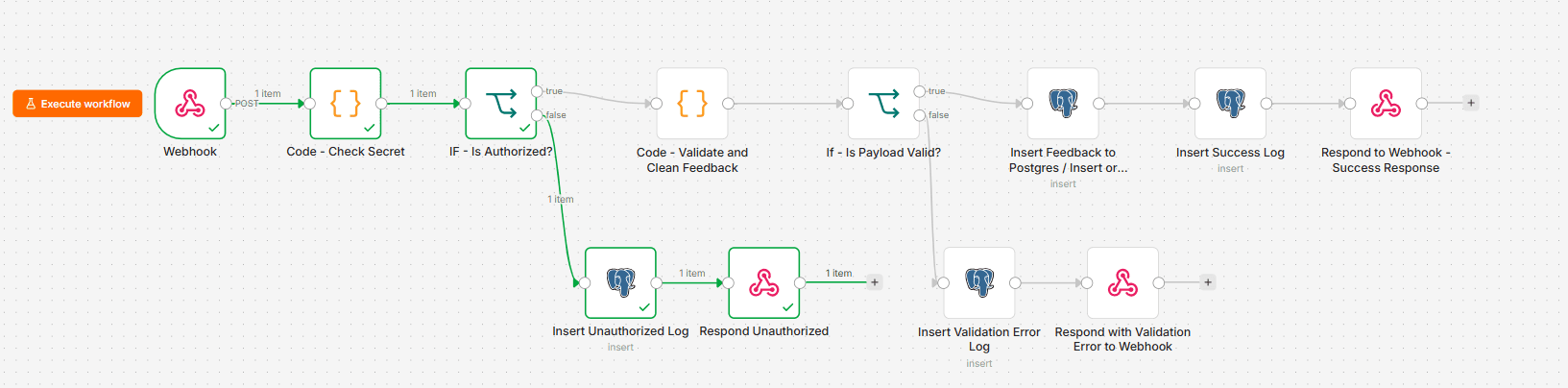
The workflow does not treat every request as successful. It handles valid data, invalid data, and unauthorised requests separately.
Valid data is stored in PostgreSQL and the successful workflow result is logged.
The workflow rejects incomplete or incorrectly formatted data and records the validation error.
Requests with a missing or incorrect secret are rejected and logged as unauthorised.
Business reporting
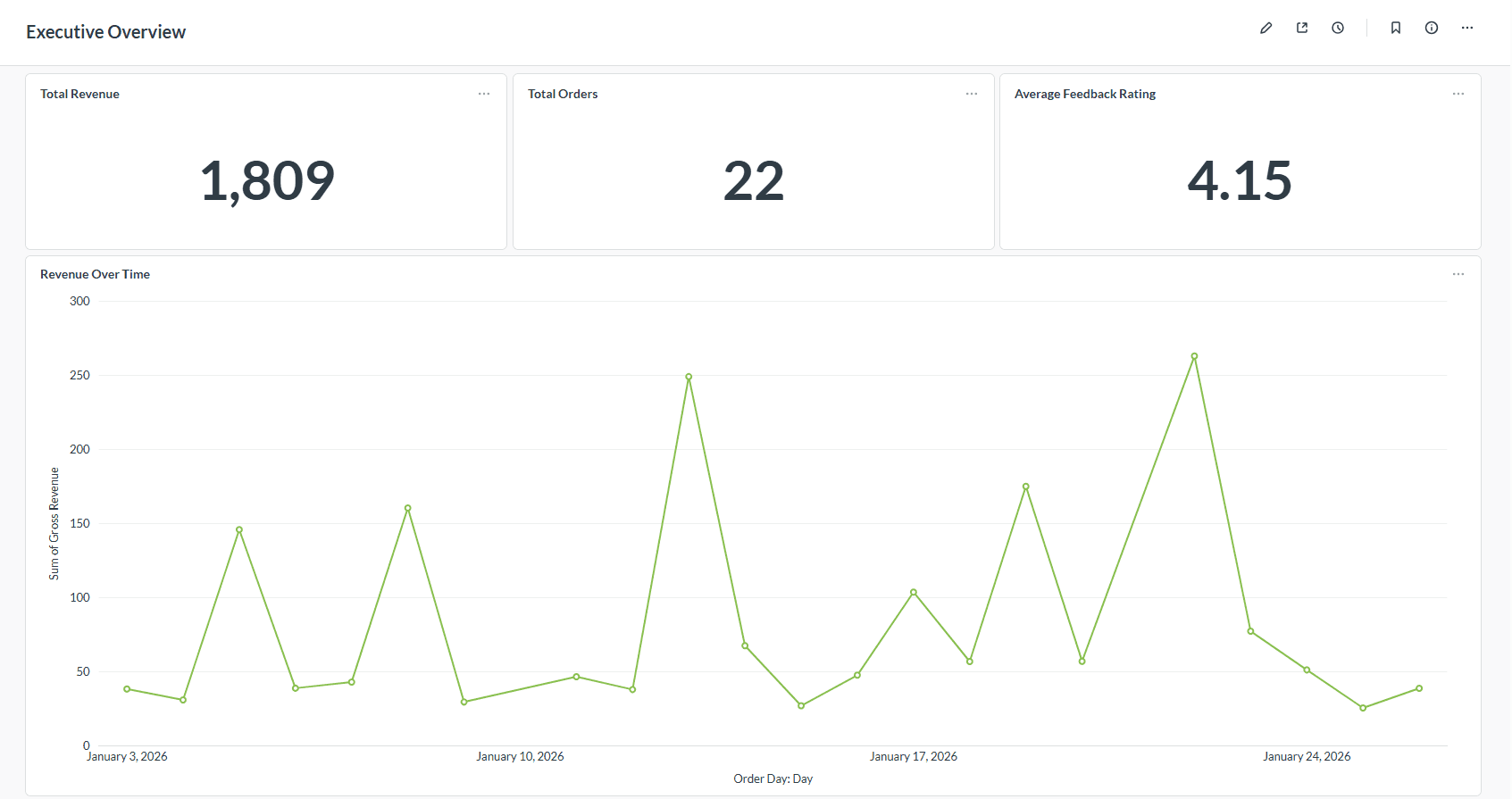
The same stored data can be prepared for business reporting instead of remaining inside the automation workflow.
A business dashboard showing revenue, orders, customer feedback, and changes over time.
Workflow monitoring
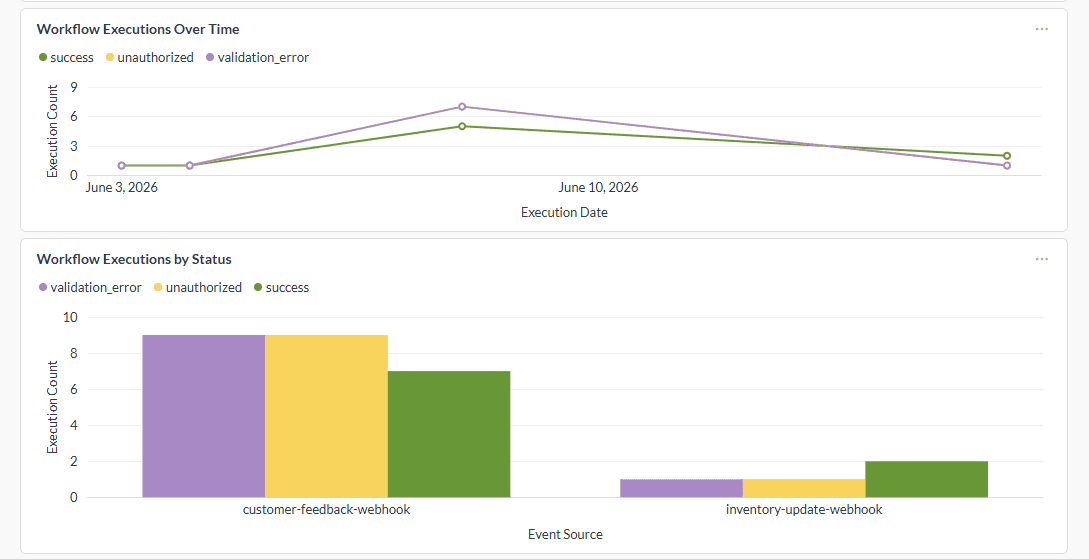
Execution logs are also prepared for a separate dashboard showing successful, invalid, and unauthorised workflow runs.
A monitoring dashboard showing workflow executions over time and the number of results by status.
My contribution
Technology used
Current limitation
The system was built and tested locally with sample data. It demonstrates how the parts can work together, but it has not been deployed or tested inside a real organisation.